Budgeting for a New POS System: A Small Business Owner’s Guide to Pricing

Few purchases feel as opaque to a first-time business owner as point-of-sale software. Ask five vendors for a quote and you’ll often get five different structures, some bundling hardware and software together, others charging separately for every module you add. Reviewing Industry-Specific POS Pricing early in your research helps set realistic expectations before you start taking calls with sales reps, so you’re comparing options instead of getting talked into whichever plan sounds most impressive.
Start With What Your Business Actually Needs
Before comparing prices, list out your daily operations in plain terms. Do you need to track inventory down to the individual size and color? Do you take reservations? Do you sell both in a shop and at weekend markets? This list becomes your filter for evaluating quotes, since a lower price on a system missing something you use daily isn’t actually a bargain.
Understanding the Common Pricing Components
Monthly Software Fees
Most POS providers charge a recurring fee for access to the core software, often scaled by number of registers or locations. This is usually the easiest number to compare across vendors, but it rarely tells the whole story on its own.
Hardware Costs
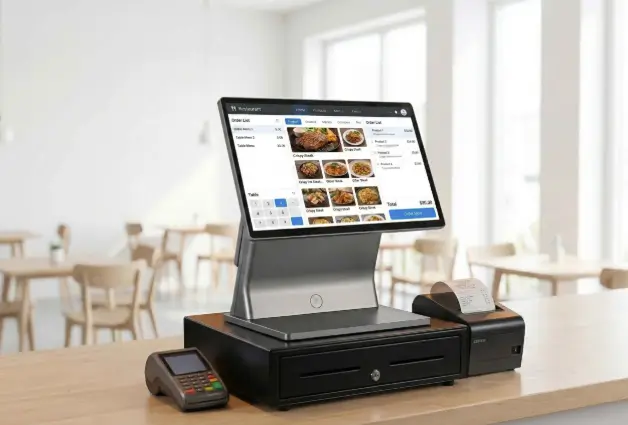
Terminals, card readers, receipt printers, and cash drawers can be purchased outright or leased monthly. Leasing lowers your upfront cost but often costs more over a few years, so it’s worth running the math both ways before deciding.
Payment Processing Rates
This fee is charged per transaction and can significantly affect your total cost, especially for high-volume businesses. Some providers bundle processing into their overall price, while others let you shop around for a separate processor.
Add-On Modules
Features like loyalty programs, advanced reporting, or appointment scheduling are frequently priced separately from the core plan. It’s worth asking upfront which of these are included versus billed as extras, since a plan that looks affordable on the surface can grow quickly once you start adding the modules your business actually needs to operate day to day.
Watch for Costs That Don’t Show Up in the Headline Price
Setup fees, training charges, PCI compliance fees, and early termination penalties often live in the fine print rather than the main pricing page. Ask directly whether any of these apply, and get the answer in writing before signing anything, since verbal assurances tend to be hard to enforce later.
Why Your Industry Changes the Math
A restaurant’s pricing needs typically include table management and kitchen display integration, which a boutique retailer will never use and shouldn’t have to pay for. Meanwhile, a retailer needs robust inventory and barcode tools that a service-based business, like a hair salon, has little use for. Pricing built around your specific industry avoids padding your bill with modules that sit unused.
Comparing Quotes Apples to Apples
When you receive multiple quotes, build a simple comparison sheet listing monthly software cost, hardware cost, processing rate, contract length, and any one-time fees for each vendor. This makes it far easier to spot which quote is genuinely more affordable once every cost is accounted for, rather than judging based on the number that appears largest on the page.
See also: Business Class Flights to Bangalore for Business and Leisure Travelers
Negotiating Without Overpromising Growth
It’s tempting to commit to a higher tier because a sales rep suggests you’ll grow into it. Instead, ask whether you can start smaller and upgrade later without penalty. Most reputable providers will let you scale up as your business actually grows, rather than requiring you to pay for hypothetical future volume today.
Factoring In the Cost of Switching Later
Sometimes the cheapest option upfront isn’t the cheapest option overall. If a low-cost system lacks a feature your industry typically needs, you may find yourself migrating to a different provider within a year, and switching systems carries its own costs in staff retraining, data migration, and lost productivity during the transition. Weighing this risk against a slightly higher monthly fee for a more complete, industry-appropriate plan is often worth the extra line item on your budget.
It also pays to ask a prospective provider how long their average customer in your industry stays with them. A high retention rate among similar businesses is a reasonably good signal that the pricing and features are well matched to what businesses like yours actually need over the long run, not just in the first few months.
Bringing It All Together
Budgeting for a new point-of-sale system doesn’t need to be a guessing game. Get clear on your operational needs, ask for itemized quotes, and compare pricing structures built for businesses like yours rather than generic tiers. A little upfront diligence saves you from either overpaying for unused features or underbuying and hitting limitations six months down the road. Treat the comparison process the same way you’d treat any other major business expense, with a clear checklist and a willingness to walk away from a quote that doesn’t add up.